Honest Review on Claude Design
April 21, 2026
I have spent the last 3 years as a product designer, mostly living inside Figma. Now I'm transitioning into solo building, with Claude Code as my other home, and I've been context switching between those 2 apps ever since.
And then last week, Claude Design came around.
On Anthropic's official website, Claude Design aims to close the end-to-end design to engineering loop: import design system, generate design with AI, refine it with fine-grained controls, and hand it off to Claude Code.
So… can it actually close the gap between design and engineering?
My short answer is: close, but not yet. From my current experience with Claude Design, it did a pretty good job of handing off a one-time design. However, once you hand off to Claude Code, there's no going back to Claude Design. Which means you can only refine the design in Claude Code through prompts — not with the fine-grain control you have in Claude Design.
My Test Case
To test Claude Design with a real end-to-end use case, I decided to build my wedding website with it. I imported the design system from my portfolio website codebase, prototyped and tweaked it in Claude Design, handed it off to Claude Code, and finally deployed it to GitHub Pages. Here's what I found:
Design System
Claude Design starts by asking you to set up a design system. It accepts a variety of optional inputs, such as the current codebase, Figma files, images, or just text. I didn't have a design system at hand, so I just uploaded my portfolio site's codebase and let it figure out how to create one.
✅ Good
The first version was actually very good. It captured my style surprisingly well: colors, typography, spacing, radius, and components were all captured from my codebase. It also generated a well-structured design system folder — and I love this feature because I've always believed the codebase should be the single source of truth for design systems. Figma still keeps design system files in a proprietary structure that requires workarounds like plugins just to export usable code stacks.
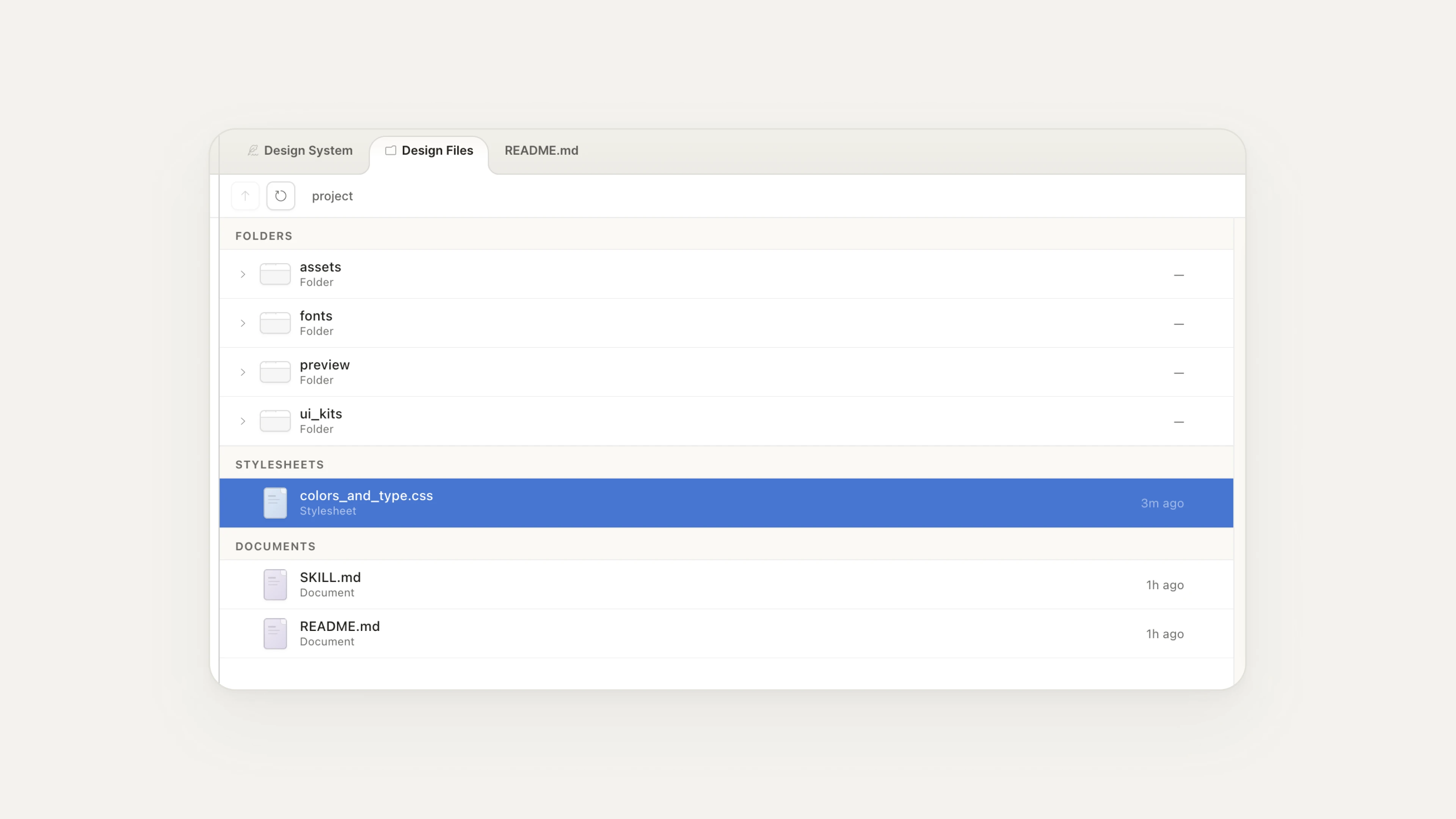 [fig 1] Design System folder as the single source of truth.
🟡 Okay
The UI of the design system page is usable, but not optimized. Everything is crammed into accordions, and there's no place to manage uploaded assets like fonts and logos. This might be because Claude Design is still in research mode — the UI will likely be more refined in later versions.
🔧 Needs improvement
Editing the design system only works through prompts. I would like to see more fine-grained edits to the design system elements, like what you can do in Figma.
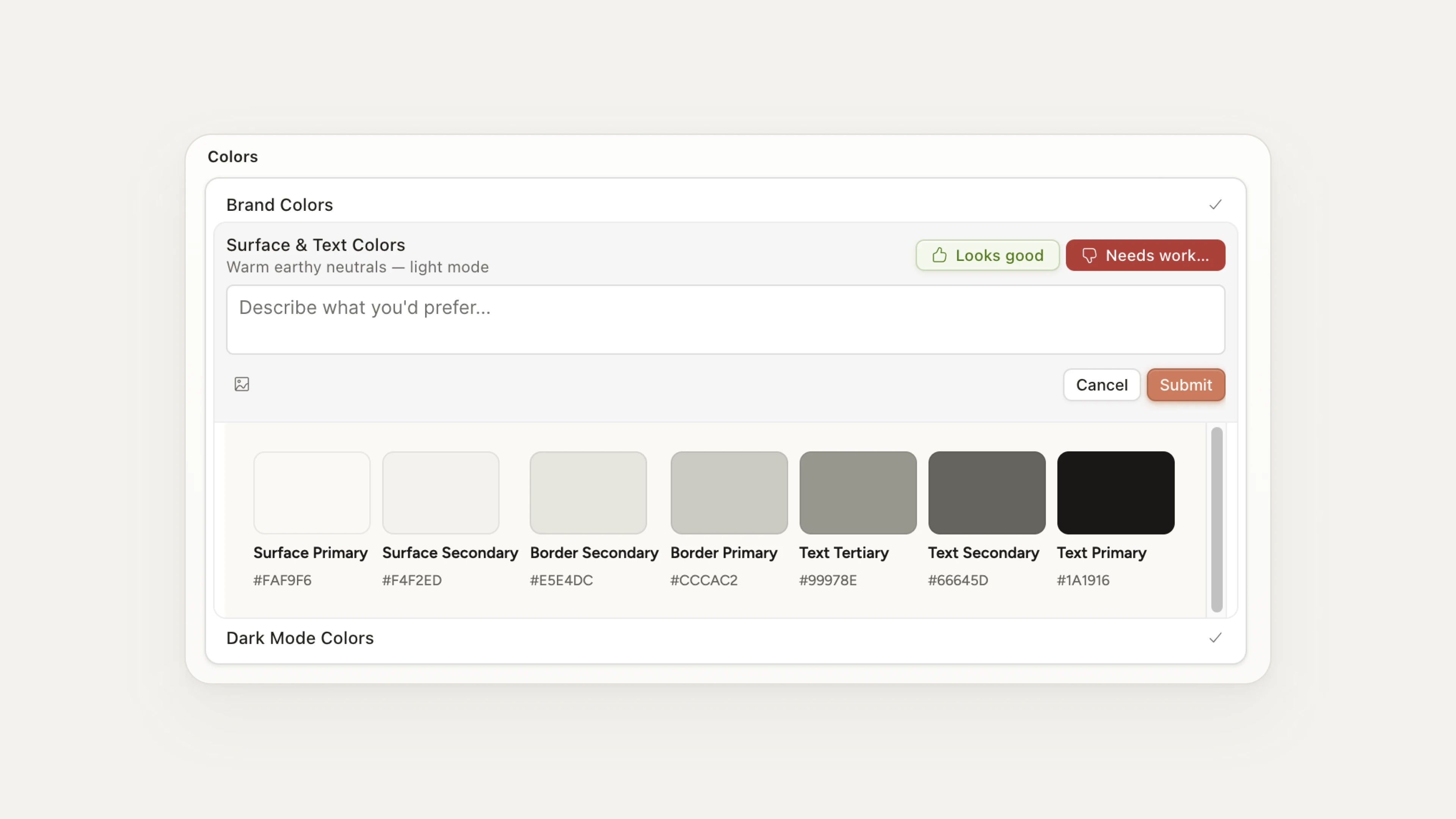 [fig 2] Editing Design System elements can only be done through prompts.
Generate & Fine-tune
With the design system in place, I prompted Claude Design to generate my wedding site and then spent about 30 minutes refining it. There are 3 ways to make adjustments: Tweaks, Comments, and Edits.
- Tweaks: Ask Claude to add sliders or options to view the UI design tweaks in real time.
- Comments: Select an element to add a comment for collaborators or send it to Claude to make adjustments.
- Edits: Make direct edits to the UI elements.
✅ Good
The "Tweaks" feature is a genuinely new and helpful tool. As a perfectionist designer, I'm constantly tweaking — trying different fonts, border radii, spacing. Claude Design made this much more efficient.
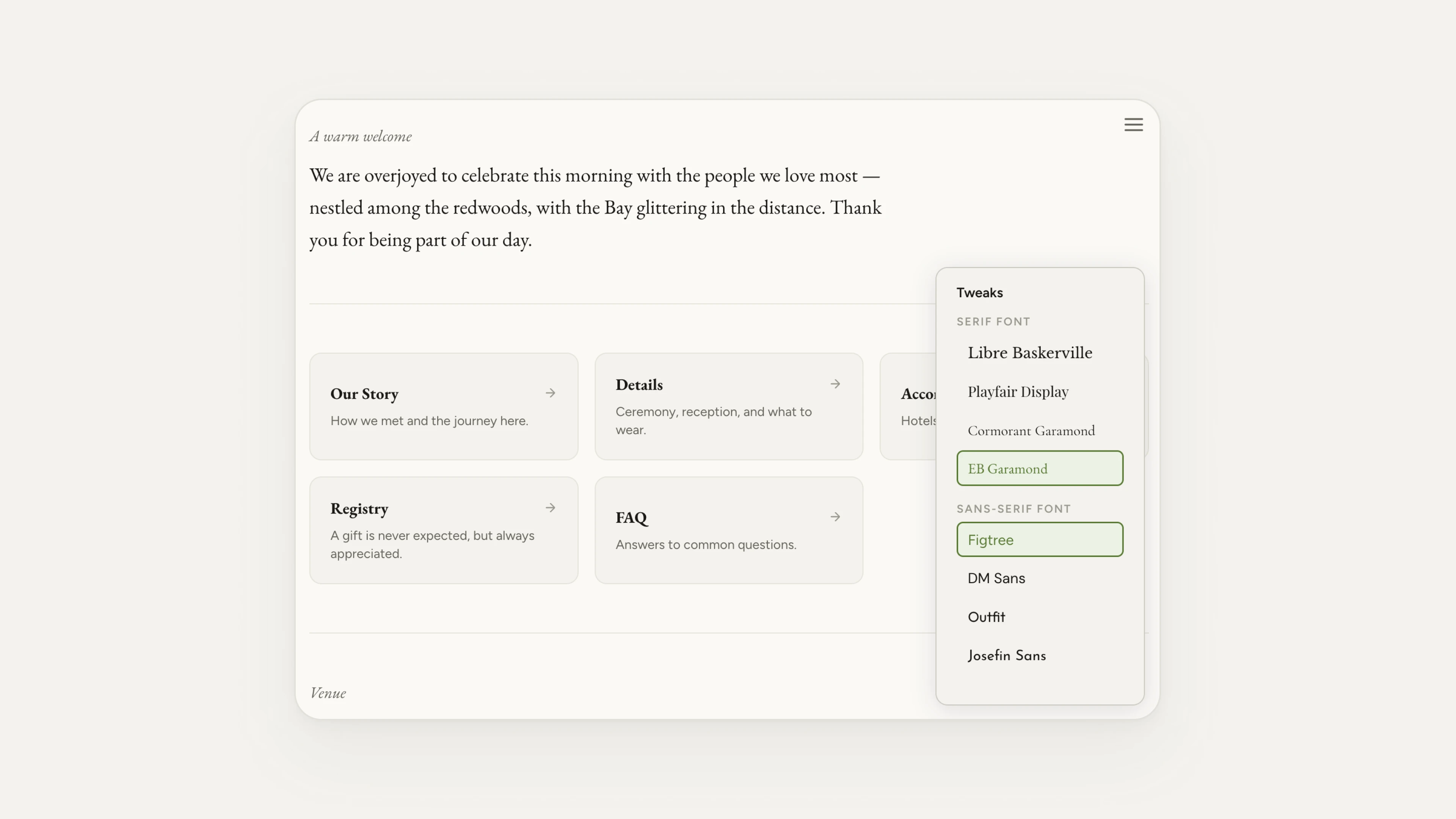 [fig 3] Using "Tweaks" to make a selection of fonts.
One note: it would be much better if this "Tweaks" feature could also be used inside Design Systems!
🟡 Okay
The "Comment" feature is also very common in other design apps, such as Figma. The "Edit" feature is usable, but it definitely needs more polish to make it comparable to Figma.
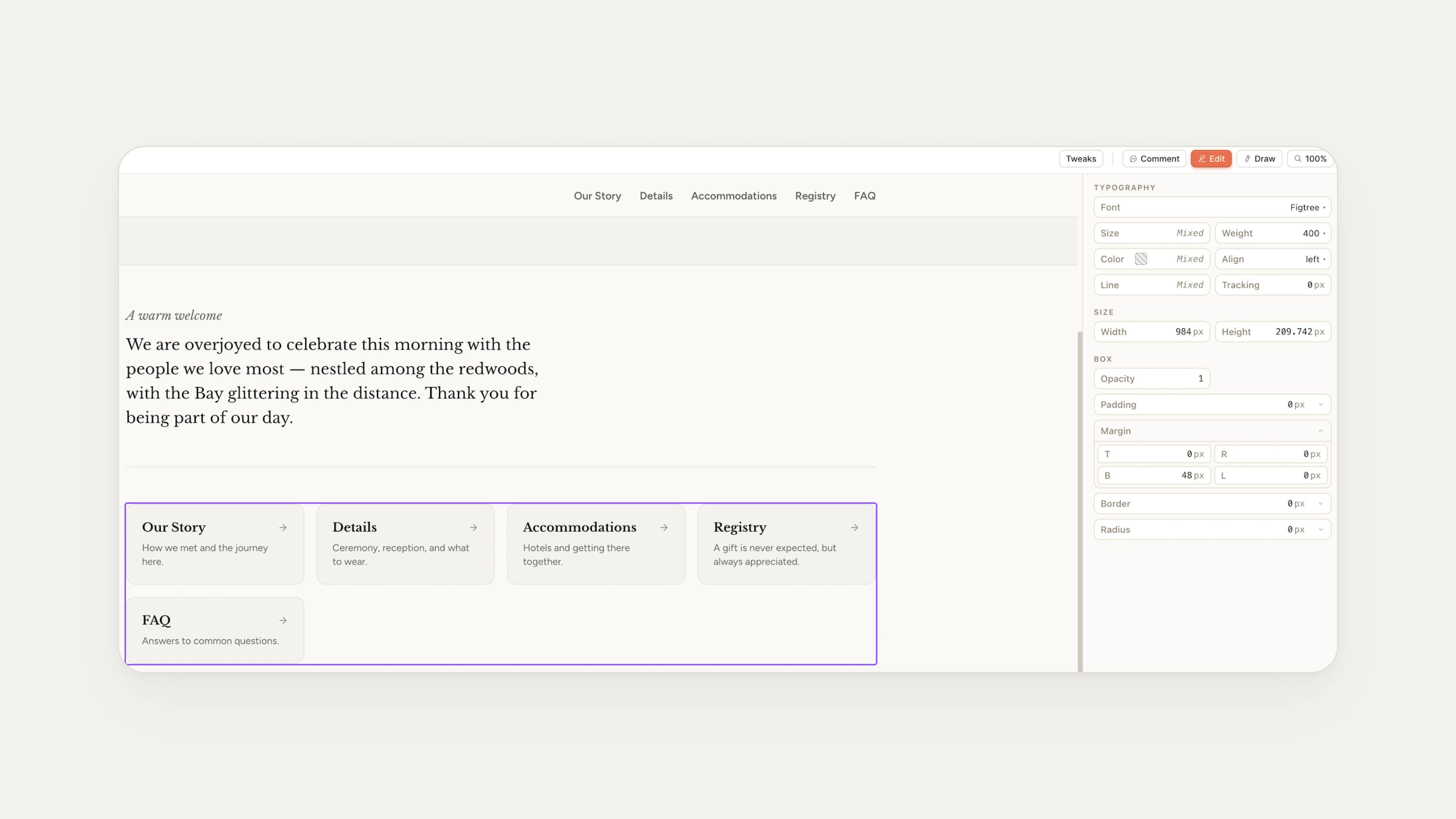 [fig 4] The "Edit" feature is usable, but needs more polish.
The Handoff
Once the site was ready, I tried 2 export paths: HTML download and handoff to Claude Code.
✅ Good
The handoff to Claude Code is super smooth. I sent the design file to Claude Code, and it did everything — setting up the repo, choosing the stack, building the project, committing the changes, and publishing it to GitHub Pages. My site was live in less than 30 minutes.
🟡 Okay
HTML export is fine for viewing, not for editing. The export comes as a packaged bundle — easy to share with a client or teammate for review, but not structured for direct editing.
Token Usage — A Quick Note
Here is a heads-up about token usage: Claude Design burns through design credits fast. Generating my design system took about 5 minutes, the first version of the site about 10 minutes, and tweaking took around 30 minutes — all on Sonnet 4.6. That was enough to use up my entire weekly design credit allowance for my Pro plan, plus about $2 from my account balance.
So, Can Claude Design Close the Gap?
Back to the original question: can Claude Design bridge design and engineering?
My answer, after going through the full flow: not yet, but closer than anything else I've used.
Claude Design is doing a decent job for the one-way flow: the design system is impressive, the first-shot prototypes are pretty good, and the handoff to Claude Code is super smooth. For a solo builder or someone shipping a one-time project — like my wedding site — this is already a net win.
But instead of just a one-time prototype, I'm more concerned about the 100th iteration. Right now, once you hand off to Claude Code, you can't come back. Claude Design is not built for iterating on an existing codebase.
What I'm truly hoping for is bidirectional sync between Claude Design and Claude Code. Change a component in Claude Design, see it in the code. Change a component in code, see it reflected in Claude Design. That's the state where "designer" and "engineer" can finally become one.